






 Tools for Jira
 Tools for monday.com







Trusted by 4000+ clients























Can Jira be used for HR workflows?
Yes, of course
Jira can run your full HR workflow, from hiring to exit. Teams use it for onboarding, offboarding, performance reviews, and approvals, so the processes live where the work already happens.
Out of the box, Jira's built-in issue templates give you a basic task list. They don't enforce completion, create tickets for other teams, or hand off to the next step.
Smart Templates adds the issue templates for Jira that HR actually needs.
- One issue template builds a cross-team issue tree of tasks and subtasks, pre-assigned and pre-filled.
- Smart Variables fill in the values that change every time: the employee's name, start date, manager, and role.
- The built-in Scheduler recreates recurring HR processes like annual reviews on the right date, every time.
One issue templatefor your whole HR workflow
## **Pre-Planning**
– Validate the hiring request & add it to the hiring plan
– Share the Job requisition form to collect the full information about the role
– Assign the responsible recruiter
– Send Job Requisition Form to hiring manager

## **Research & Market Calibration**
– Collect a filled requisition form from the Hiring Manager
– Research similar roles and market benchmarks (e.g., skills, salaries, role namings)
– Validate role fit and requirements based on market data
– Gather role posting analytics
– Understand where such roles are usually posted
– Investigate whether people typically apply from posting of this role
– Determine the need for sourcing specialist for this role

## **Position Discovery & Validation**
– Prepare Position Discovery file with key role details based on the Job Requisition Form and conducted research:
* Hard & soft skills
* Competencies
* Role requirement
* Position goals
* Team/Function
* Hiring Location(s)
* Salary range
* Hiring Stages
– Schedule call with hiring manager and hiring team
– Finalize role profile and responsibilities during call
– Define required hiring materials (job description, technical task, etc.)
– Assign responsible team members for each step
– Confirm who will participate in interviews
– Define interview stages:
* Intro call
* Technical task
* Collaboration interview
* Final interview with hiring manager

## **Hiring Process Design**
– Align on interview scope, sequence, and expectations
– Assign responsibilities to interviewers
– Finalize required hiring materials (test tasks, interview questions, intro script) with the hiring team

## **Applicant Tracking System Setup**
– Create position in ATS (e.g., Greenhouse)
– Upload hiring stages, checklist and add hiring team
– Create emails templates based on recruitment flow and materials
– Add requisition details and approvals
– Review with the hiring manager

## **Sourcing & Recruitment Strategy**
– Create and distribute referral form to internal team
– Define sourcing approach
– Align on posting locations and internal budget approvals
– Post the job on the company’s careers page
– Make an external posting on job boards
– Request marketing support (LinkedIn post, internal newsletter, ads campaign)
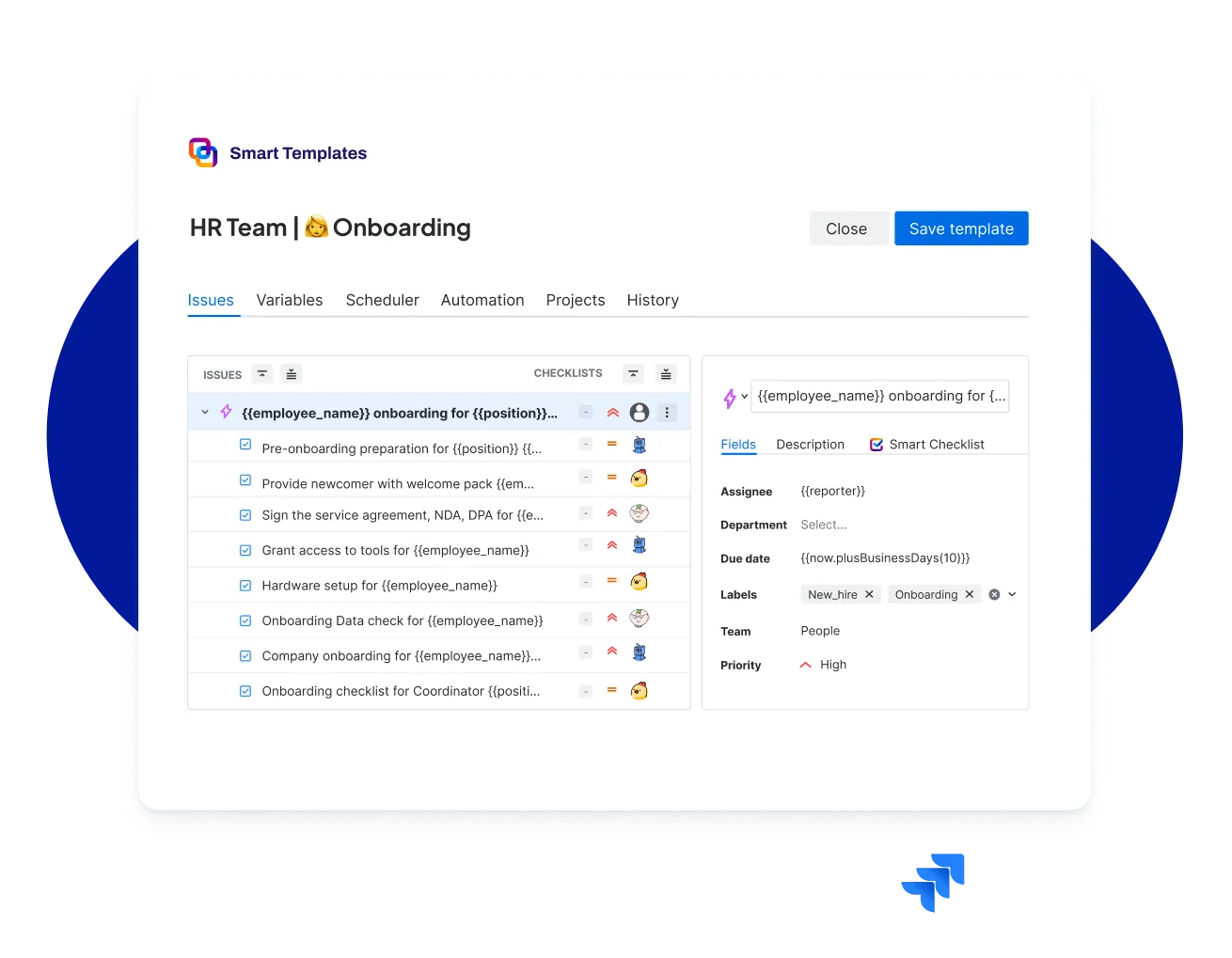
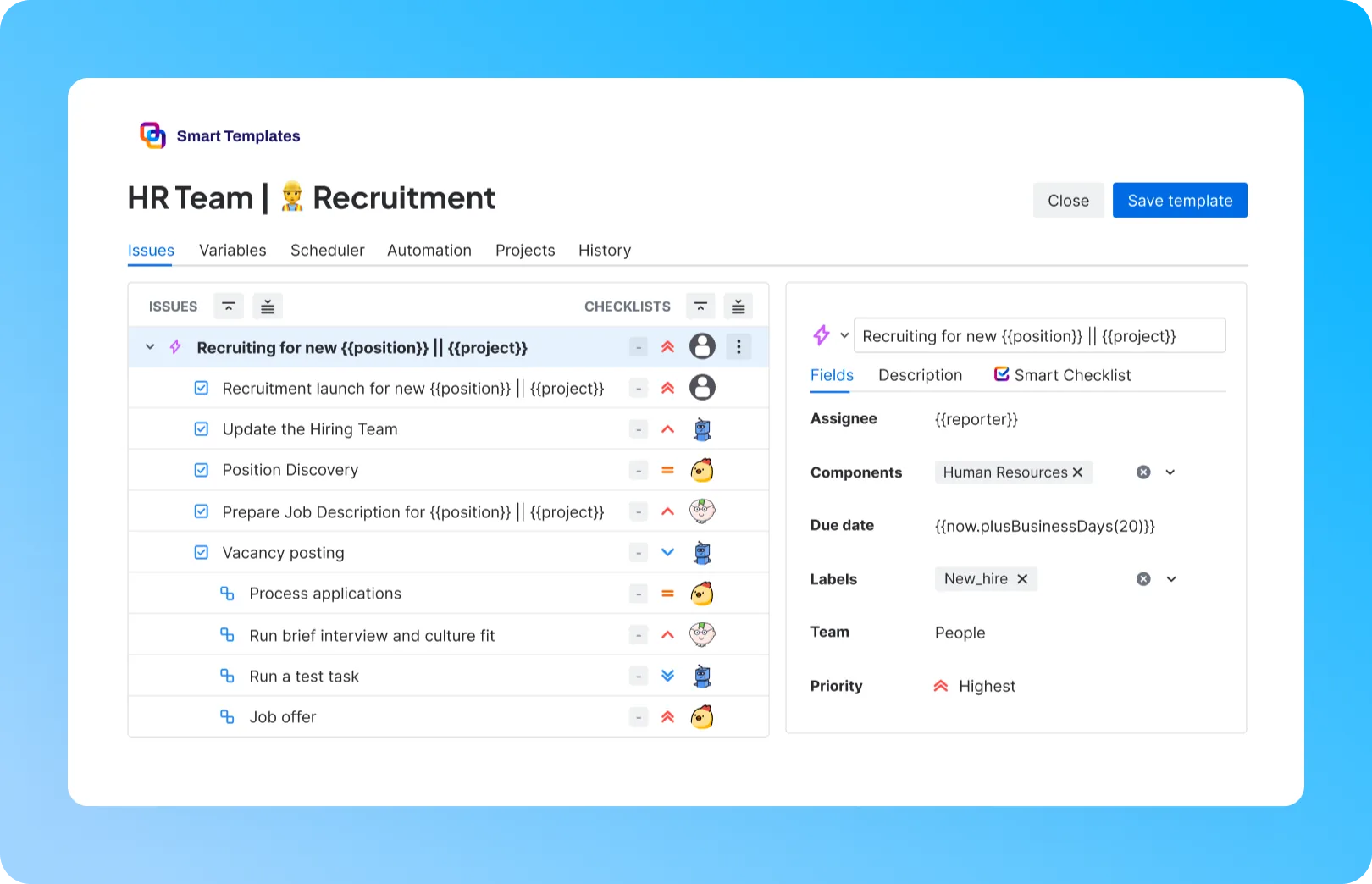
Recruitment
Turn every open role into a ready-made Jira issue template. Screening steps, interview tasks, and approvals appear pre-assigned, so your HR team runs recruitment without rebuilding the process each time.
Company onboarding for Maria Smith | Developer

# **During the 1st week**
– Use your *full name* in your Slack profile
– Add your picture to *all company profiles*
> List of company profiles: Slack, Google account, Jira/Confluence, etc.
– Fill out [the form](<http://rw.rw/vimeo.com>) to get company merch
> Please state your current address
– Install required software
> VPN setup
> Antivirus installation
– Complete Orientation day
– Complete Product Training - Day 3
– Complete Compliance Workshop - Day 5
– Join team introduction meeting

# **During the 1st month**
– Read [company-wide policies](<https://vimeo.com/>)
– Watch [Slack usage video](<https://vimeo.com/>)
– Learn [working with sensitive information](<https://www.atlassian.com/software/confluence>)
– Prepare for the first feedback session
> Purpose: Assess your training progress and role adaptation.
– Schedule Bi-weekly meetings with your coordinator
> Purpose: Review progress on tasks, ask questions
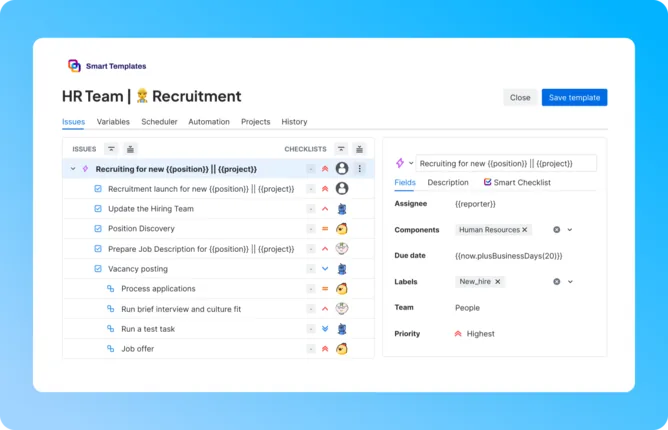
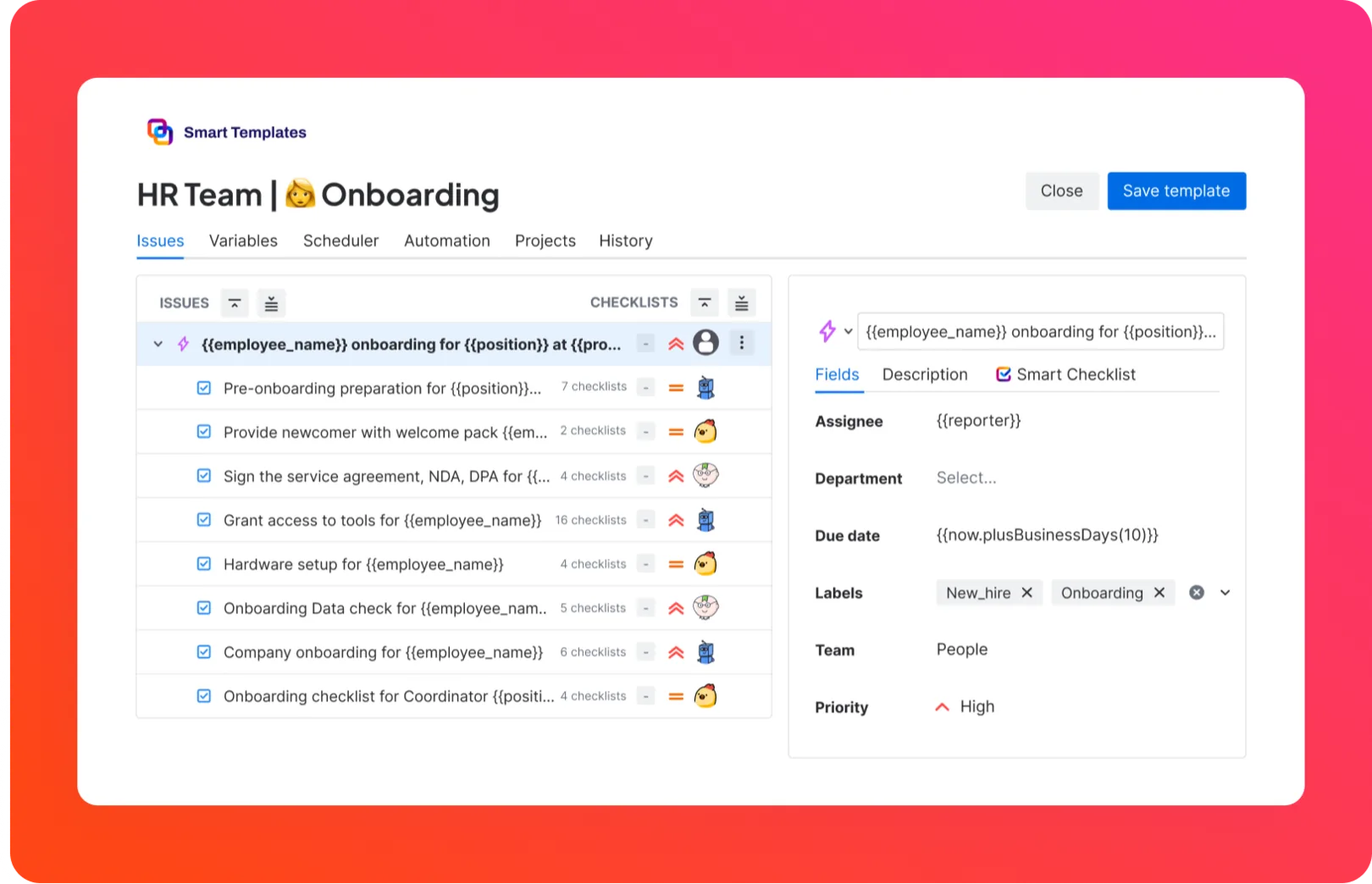
Onboarding
Give every new hire a consistent start. One template spins up the full onboarding tree across People, IT, and Finance, with every task pre-filled and pre-assigned to the right owner.
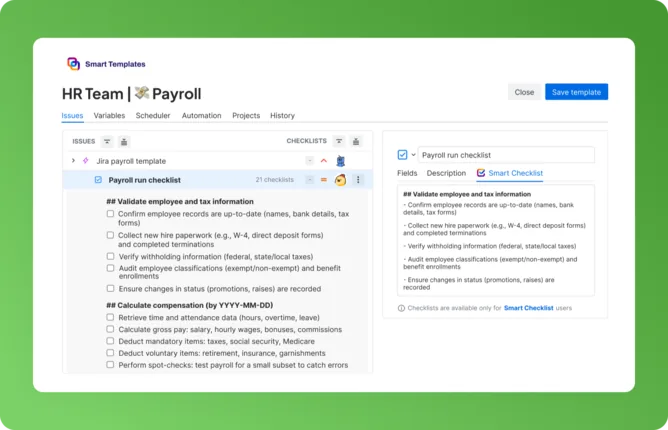
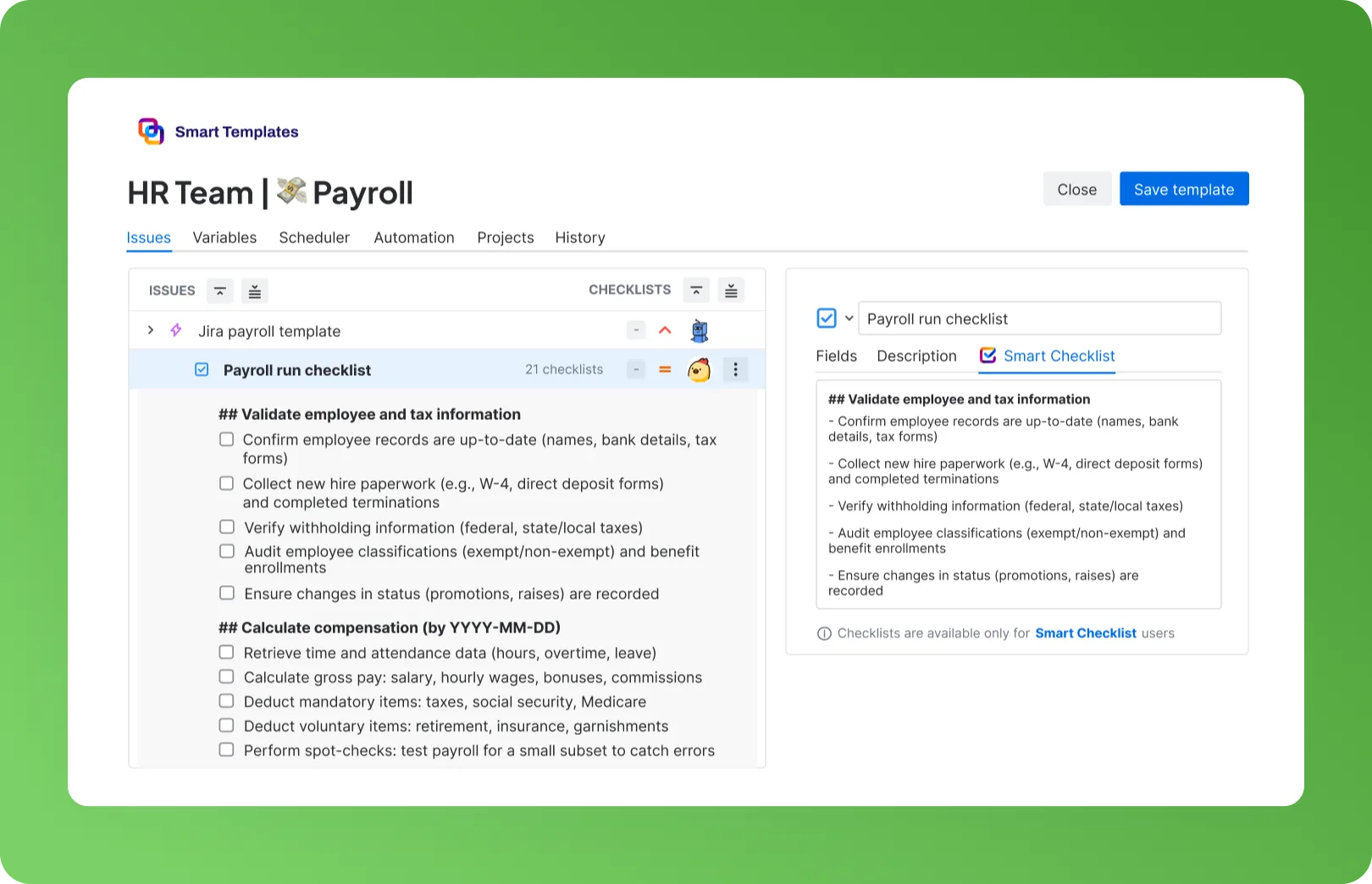
## **Validate employee and tax information**
– Confirm employee records are up-to-date (names, bank details, tax forms)
– Collect new hire paperwork (e.g., W-4, direct deposit forms) and completed terminations
– Verify withholding information (federal, state/local taxes)
– Audit employee classifications (exempt/non-exempt) and benefit enrollments
– Ensure changes in status (promotions, raises) are recorded

## **Calculate compensation**
– Retrieve time and attendance data (hours, overtime, leave)
– Calculate gross pay: salary, hourly wages, bonuses, commissions
– Deduct mandatory items: taxes, social security, Medicare
– Deduct voluntary items: retirement, insurance, garnishments
– Perform spot checks: test payroll for a small subset to catch errors

## **Approval & Submission**
– Submit payroll summary to the finance/manager for approval
– Receive and document final approvals
– Compile payment batch (net pay, contractor, and vendor amounts)
– Schedule and execute payments (direct deposit, checks, transfers)
– Confirm successful transfers - no failures or holds

## **Reporting & Record Keeping**
– Distribute payslips to employees (via portal/email)
– File tax and social contribution reports
– Save payroll records and audit trail securely

## **Post-Payroll Review**
– Confirm successful transfers (no failed payments)
– Audit discrepancies (late filings, miscalculations) & track fixes
– Collect employee feedback on the payroll experience
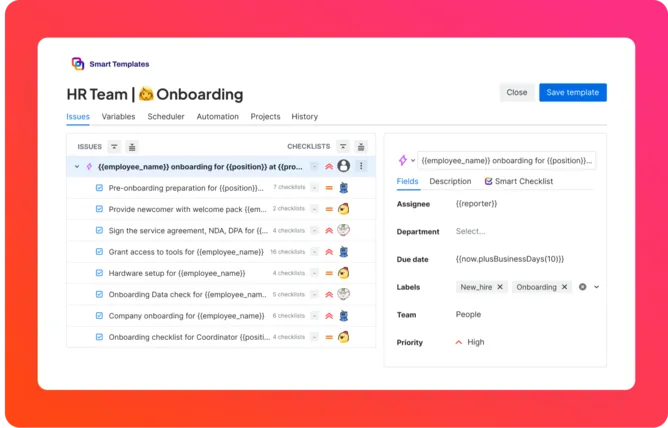
Payroll
Run every payroll cycle from one reusable template. Salary calculations, approvals, and payout tasks are created pre-assigned and on schedule, so nothing slips between Finance and People.
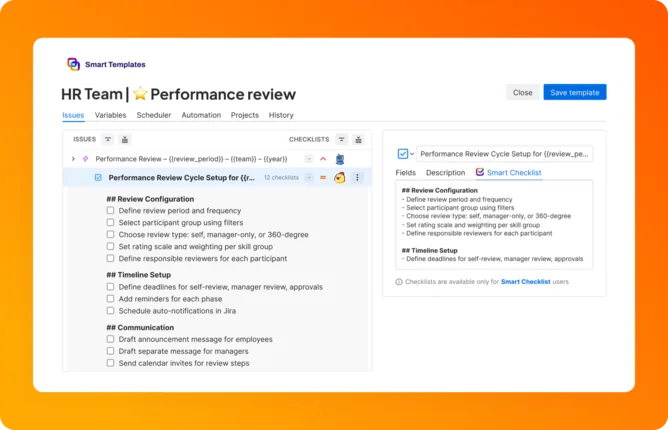
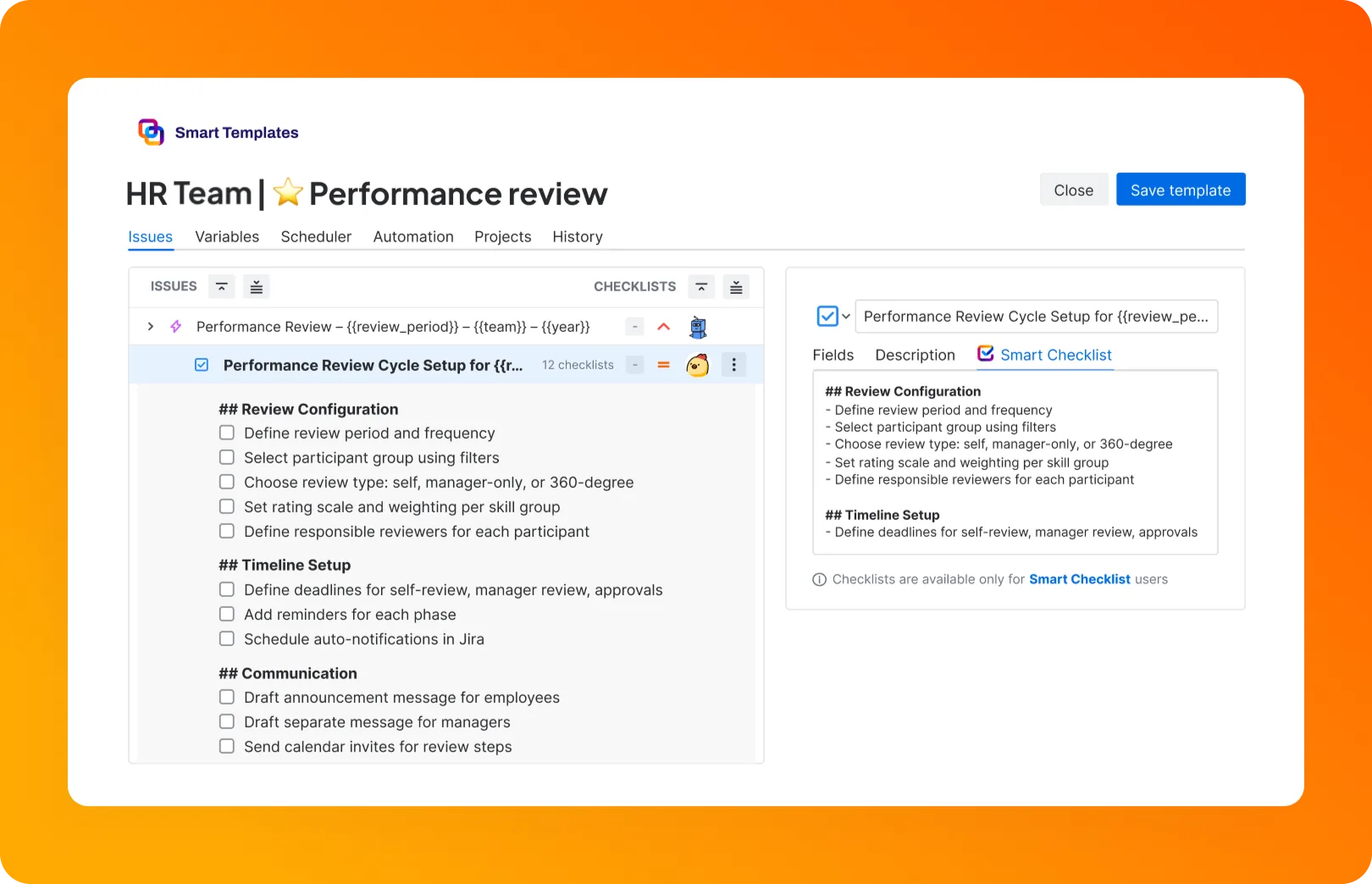
## **Review Configuration**
– Define review period and frequency
– Select participant group using filters
– Choose review type: self, manager-only, or 360-degree
– Set rating scale and weighting per skill group
– Define responsible reviewers for each participant

## **Timeline Setup**
– Define deadlines for self-review, manager review, approvals
– Add reminders for each phase
– Schedule auto-notifications in Jira

## **Communication**
– Draft announcement message for employees
– Draft separate message for managers
– Send calendar invites for review steps
– Link supporting documents or evaluation form templates
Performance reviews
Run recurring review cycles without the manual setup. Schedule the template once and each round creates its own pre-assigned tasks on the right date.
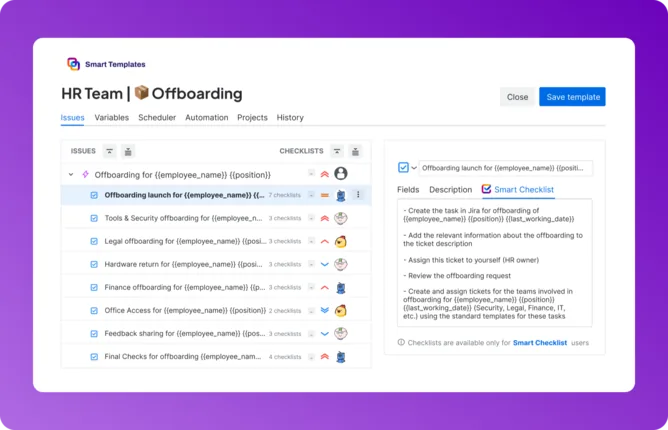
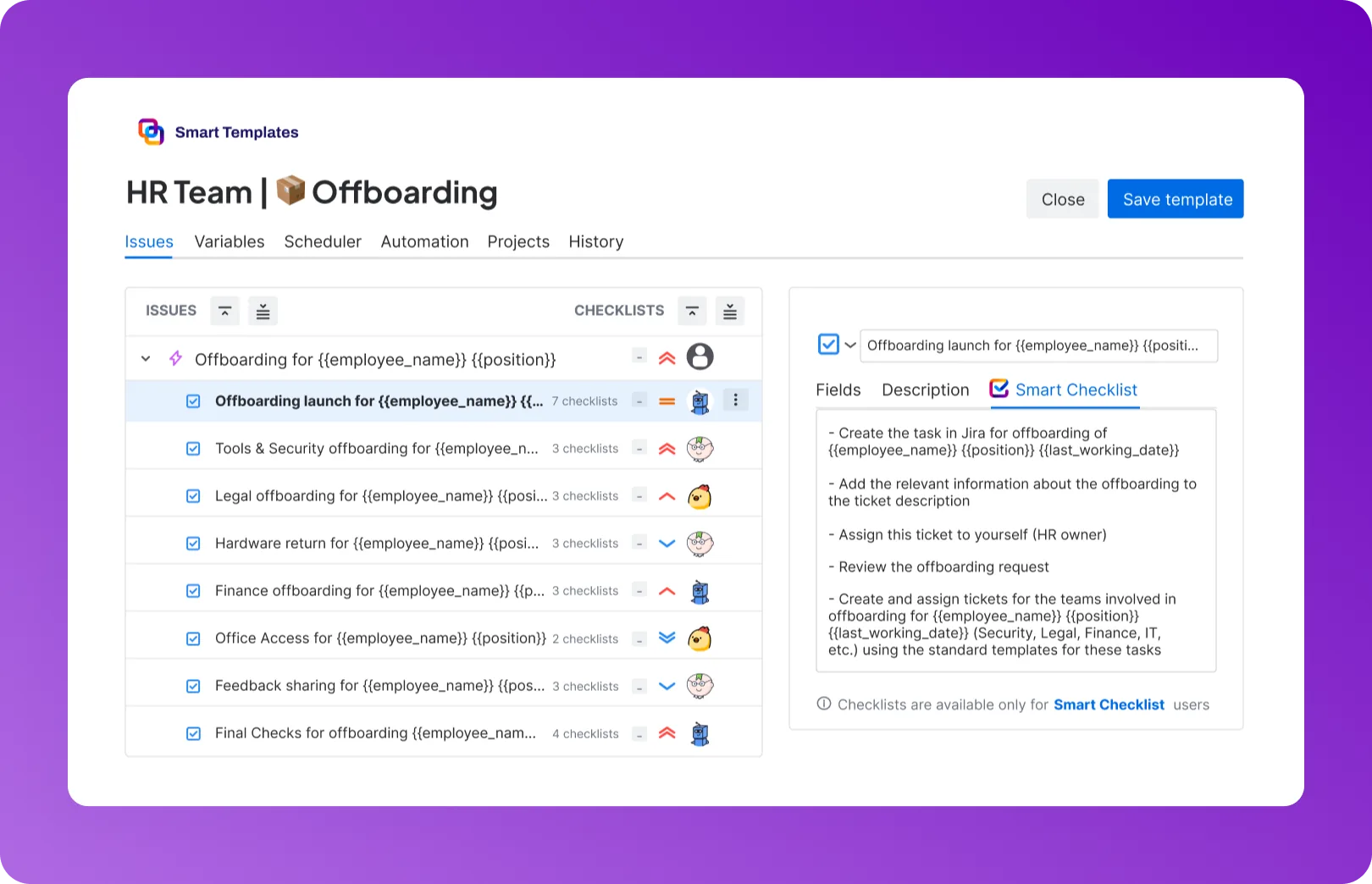
## **Offboarding launch for {{employee_name}} {{position}}**
– Create the task in Jira for offboarding of {{employee_name}} {{position}} {{last_working_date}}
– Add the relevant information about the offboarding to the ticket description
– Assign this ticket to yourself (HR owner)
– Review the offboarding request
– Create and assign tickets for the teams involved in offboarding for {{employee_name}} {{position}} {{last_working_date}} (Security, Legal, Finance, IT, etc.) using the standard templates for these tasks
– Link all related subtasks for departments as child issues to the main ticket
– Ping the relevant teams about offboarding timelines for {{employee_name}} {{position}} (Security, Legal, Finance, IT, etc.), and main information

## **Tools & Security offboarding for {{employee_name}} {{position}}**
– Create an IT offboarding ticket for tools and access removal, add the {{last_working_date}}, {{employee_name}}, {{position}} to the ticket and assign it to the security team
– Confirm the access removal timeline with Manager and update the IT Security
– Remind responsible teams to deactivate specific tools (e.g., Figma for designers)

## **Legal offboarding for {{employee_name}} {{position}}**
– Create the Legal offboarding ticket, add the {{last_working_date}}, {{employee_name}}, {{position}} to the ticket
– Create a Termination Agreement task and assign it to Legal
– Confirm document type based on the contract

## **Hardware return for {{employee_name}} {{position}}**
– Create the Procurement team offboarding ticket, add the {{last_working_date}}, {{employee_name}}, {{position}} to the ticket
– Coordinate the return of laptops, chargers, security keys, or other company assets
– Confirm pickup or delivery plan with Office Manager and IT Security on {{last_working_date}}

## **Finance offboarding for {{employee_name}} {{position}}**
– Create a Reconciliation ticket for payroll and assign it to the finance manager, add the {{last_working_date}}, {{employee_name}}, {{position}} to the ticket
– Notify Finance if the notice payment is required
– Confirm with Finance when the last payment will be released on {{last_working_date}}

## **Office Access for {{employee_name}} {{position}}**
– Contact {{employee_name}} if he/she has been working from the office
– Ask Office Manager to agree with the {{employee_name}} on the card/key return

## **Feedback sharing for {{employee_name}} {{position}}**
– Ask the {{employee_name}} to submit the Experience Feedback Form
– Set reminder to check feedback responses and share it with the Manager
– If the offboarding is regrettable for the company, schedule the Exit interview with HRBP

## **Final Checks for offboarding for {{employee_name}} {{position}}**
– Post final day message in the company’s messenger on the last working day of {{employee_name}}
– Confirm all departmental tasks are marked as done, and send reminders if some are in progress
– Archive feedback/onboarding channels of {{employee_name}}
– Confirm with Finance that the final payment was processed
– Deactivate the Slack account of the employee
Offboarding
Never miss a step when someone leaves. Access revocation, equipment return, and final approvals are created automatically the moment offboarding starts.
## **Pre-Planning**
– Validate the hiring request & add it to the hiring plan
– Share the Job requisition form to collect the full information about the role
– Assign the responsible recruiter
– Send Job Requisition Form to hiring manager

## **Research & Market Calibration**
– Collect a filled requisition form from the Hiring Manager
– Research similar roles and market benchmarks (e.g., skills, salaries, role namings)
– Validate role fit and requirements based on market data
– Gather role posting analytics
– Understand where such roles are usually posted
– Investigate whether people typically apply from posting of this role
– Determine the need for sourcing specialist for this role

## **Position Discovery & Validation**
– Prepare Position Discovery file with key role details based on the Job Requisition Form and conducted research:
* Hard & soft skills
* Competencies
* Role requirement
* Position goals
* Team/Function
* Hiring Location(s)
* Salary range
* Hiring Stages
– Schedule call with hiring manager and hiring team
– Finalize role profile and responsibilities during call
– Define required hiring materials (job description, technical task, etc.)
– Assign responsible team members for each step
– Confirm who will participate in interviews
– Define interview stages:
* Intro call
* Technical task
* Collaboration interview
* Final interview with hiring manager

## **Hiring Process Design**
– Align on interview scope, sequence, and expectations
– Assign responsibilities to interviewers
– Finalize required hiring materials (test tasks, interview questions, intro script) with the hiring team

## **Applicant Tracking System Setup**
– Create position in ATS (e.g., Greenhouse)
– Upload hiring stages, checklist and add hiring team
– Create emails templates based on recruitment flow and materials
– Add requisition details and approvals
– Review with the hiring manager

## **Sourcing & Recruitment Strategy**
– Create and distribute referral form to internal team
– Define sourcing approach
– Align on posting locations and internal budget approvals
– Post the job on the company’s careers page
– Make an external posting on job boards
– Request marketing support (LinkedIn post, internal newsletter, ads campaign)
Recruitment
Turn every open role into a ready-made Jira issue template. Screening steps, interview tasks, and approvals appear pre-assigned, so your HR team runs recruitment without rebuilding the process each time.
Company onboarding for Maria Smith | Developer

# **During the 1st week**
– Use your *full name* in your Slack profile
– Add your picture to *all company profiles*
> List of company profiles: Slack, Google account, Jira/Confluence, etc.
– Fill out [the form](<http://rw.rw/vimeo.com>) to get company merch
> Please state your current address
– Install required software
> VPN setup
> Antivirus installation
– Complete Orientation day
– Complete Product Training - Day 3
– Complete Compliance Workshop - Day 5
– Join team introduction meeting

# **During the 1st month**
– Read [company-wide policies](<https://vimeo.com/>)
– Watch [Slack usage video](<https://vimeo.com/>)
– Learn [working with sensitive information](<https://www.atlassian.com/software/confluence>)
– Prepare for the first feedback session
> Purpose: Assess your training progress and role adaptation.
– Schedule Bi-weekly meetings with your coordinator
> Purpose: Review progress on tasks, ask questions
Onboarding
Give every new hire a consistent start. One template spins up the full onboarding tree across People, IT, and Finance, with every task pre-filled and pre-assigned to the right owner.
## **Validate employee and tax information**
– Confirm employee records are up-to-date (names, bank details, tax forms)
– Collect new hire paperwork (e.g., W-4, direct deposit forms) and completed terminations
– Verify withholding information (federal, state/local taxes)
– Audit employee classifications (exempt/non-exempt) and benefit enrollments
– Ensure changes in status (promotions, raises) are recorded

## **Calculate compensation**
– Retrieve time and attendance data (hours, overtime, leave)
– Calculate gross pay: salary, hourly wages, bonuses, commissions
– Deduct mandatory items: taxes, social security, Medicare
– Deduct voluntary items: retirement, insurance, garnishments
– Perform spot checks: test payroll for a small subset to catch errors

## **Approval & Submission**
– Submit payroll summary to the finance/manager for approval
– Receive and document final approvals
– Compile payment batch (net pay, contractor, and vendor amounts)
– Schedule and execute payments (direct deposit, checks, transfers)
– Confirm successful transfers - no failures or holds

## **Reporting & Record Keeping**
– Distribute payslips to employees (via portal/email)
– File tax and social contribution reports
– Save payroll records and audit trail securely

## **Post-Payroll Review**
– Confirm successful transfers (no failed payments)
– Audit discrepancies (late filings, miscalculations) & track fixes
– Collect employee feedback on the payroll experience
Payroll
Run every payroll cycle from one reusable template. Salary calculations, approvals, and payout tasks are created pre-assigned and on schedule, so nothing slips between Finance and People.
## **Review Configuration**
– Define review period and frequency
– Select participant group using filters
– Choose review type: self, manager-only, or 360-degree
– Set rating scale and weighting per skill group
– Define responsible reviewers for each participant

## **Timeline Setup**
– Define deadlines for self-review, manager review, approvals
– Add reminders for each phase
– Schedule auto-notifications in Jira

## **Communication**
– Draft announcement message for employees
– Draft separate message for managers
– Send calendar invites for review steps
– Link supporting documents or evaluation form templates
Performance reviews
Run recurring review cycles without the manual setup. Schedule the template once and each round creates its own pre-assigned tasks on the right date.
## **Offboarding launch for {{employee_name}} {{position}}**
– Create the task in Jira for offboarding of {{employee_name}} {{position}} {{last_working_date}}
– Add the relevant information about the offboarding to the ticket description
– Assign this ticket to yourself (HR owner)
– Review the offboarding request
– Create and assign tickets for the teams involved in offboarding for {{employee_name}} {{position}} {{last_working_date}} (Security, Legal, Finance, IT, etc.) using the standard templates for these tasks
– Link all related subtasks for departments as child issues to the main ticket
– Ping the relevant teams about offboarding timelines for {{employee_name}} {{position}} (Security, Legal, Finance, IT, etc.), and main information

## **Tools & Security offboarding for {{employee_name}} {{position}}**
– Create an IT offboarding ticket for tools and access removal, add the {{last_working_date}}, {{employee_name}}, {{position}} to the ticket and assign it to the security team
– Confirm the access removal timeline with Manager and update the IT Security
– Remind responsible teams to deactivate specific tools (e.g., Figma for designers)

## **Legal offboarding for {{employee_name}} {{position}}**
– Create the Legal offboarding ticket, add the {{last_working_date}}, {{employee_name}}, {{position}} to the ticket
– Create a Termination Agreement task and assign it to Legal
– Confirm document type based on the contract

## **Hardware return for {{employee_name}} {{position}}**
– Create the Procurement team offboarding ticket, add the {{last_working_date}}, {{employee_name}}, {{position}} to the ticket
– Coordinate the return of laptops, chargers, security keys, or other company assets
– Confirm pickup or delivery plan with Office Manager and IT Security on {{last_working_date}}

## **Finance offboarding for {{employee_name}} {{position}}**
– Create a Reconciliation ticket for payroll and assign it to the finance manager, add the {{last_working_date}}, {{employee_name}}, {{position}} to the ticket
– Notify Finance if the notice payment is required
– Confirm with Finance when the last payment will be released on {{last_working_date}}

## **Office Access for {{employee_name}} {{position}}**
– Contact {{employee_name}} if he/she has been working from the office
– Ask Office Manager to agree with the {{employee_name}} on the card/key return

## **Feedback sharing for {{employee_name}} {{position}}**
– Ask the {{employee_name}} to submit the Experience Feedback Form
– Set reminder to check feedback responses and share it with the Manager
– If the offboarding is regrettable for the company, schedule the Exit interview with HRBP

## **Final Checks for offboarding for {{employee_name}} {{position}}**
– Post final day message in the company’s messenger on the last working day of {{employee_name}}
– Confirm all departmental tasks are marked as done, and send reminders if some are in progress
– Archive feedback/onboarding channels of {{employee_name}}
– Confirm with Finance that the final payment was processed
– Deactivate the Slack account of the employee
Offboarding
Never miss a step when someone leaves. Access revocation, equipment return, and final approvals are created automatically the moment offboarding starts.
HR teams manage workflows with Smart Templates
Onboarding is more than HR's job. At TitanApps, our own People team coordinates with Legal, Finance, Procurement, Security, and Operations on every new hire. One Smart Template runs the entire process from offer-accepted to trial-completed. Better handoffs mean a better employee experience from day one.
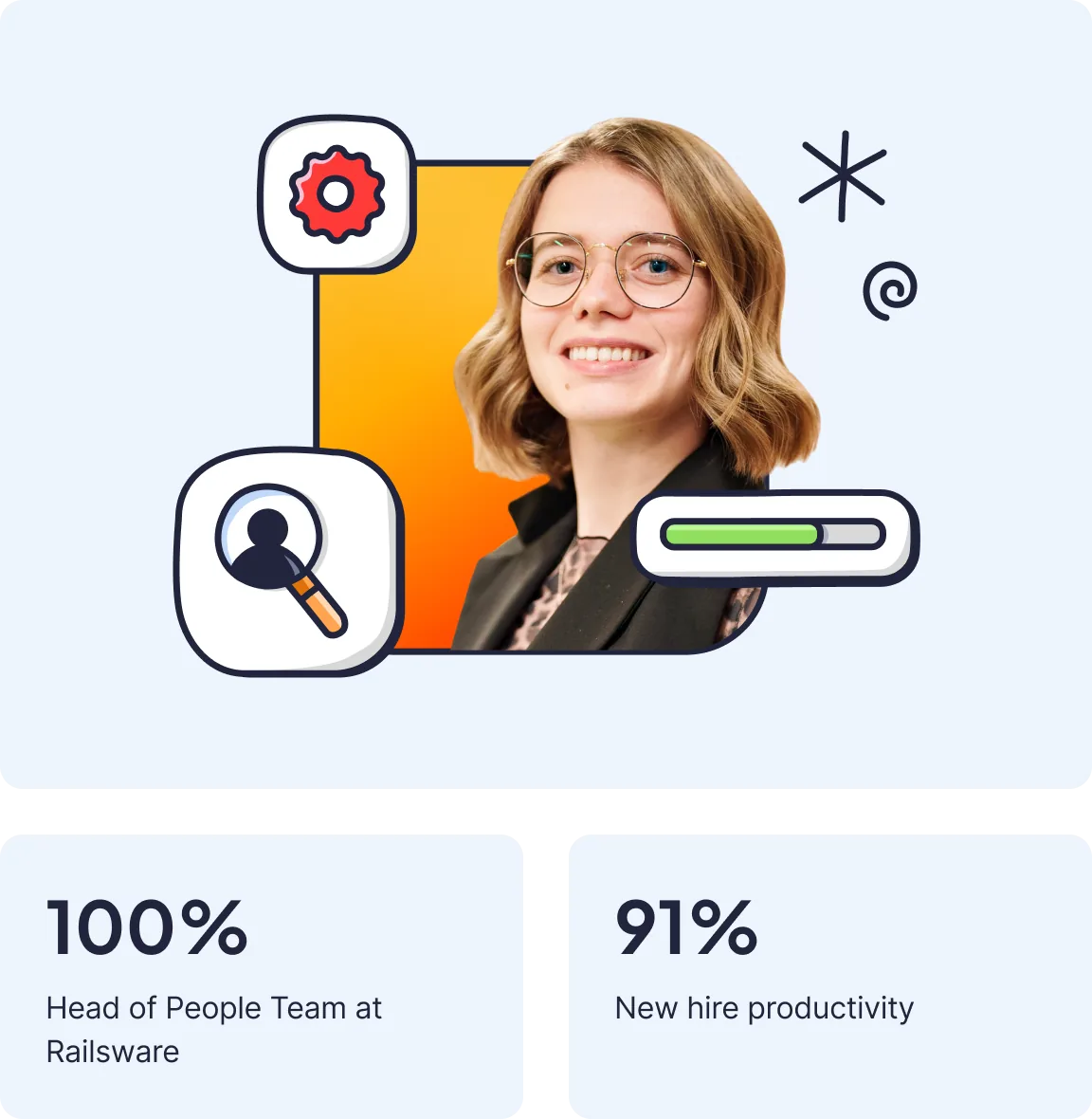
"After codifying onboarding with Smart Templates, our onboarding eNPS hit 100% and new hires rated their productivity at 91% during trial."
Olia Ududiak - Head of People Team at Railsware
Tired of being the human reminder?




With Smart Issue Templates HR team can
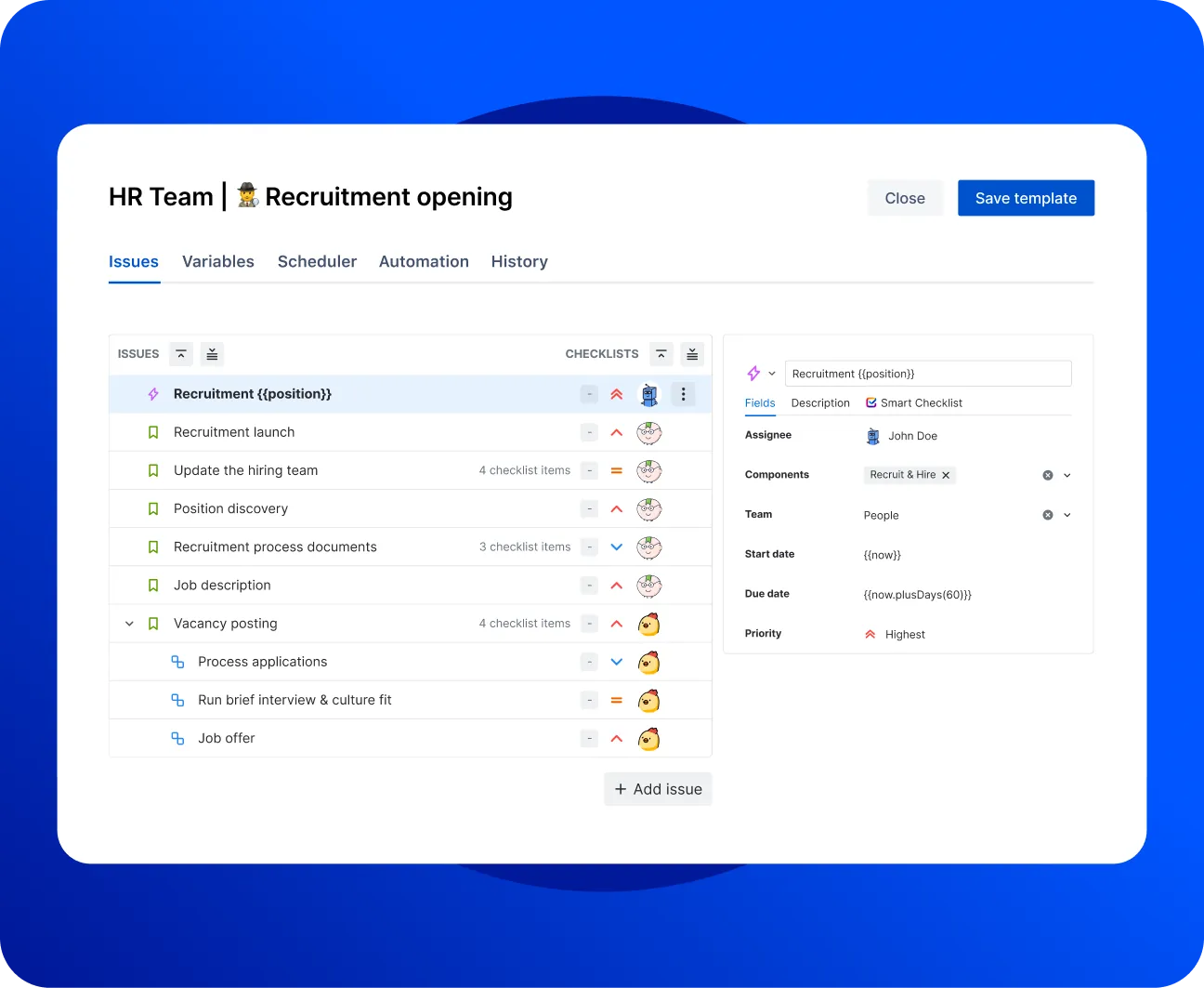
Build the template once, reuse it everywhere
Every new hire is different. Your issue template adapts to each one. Jira issue templates with Smart Variables fill in the details automatically:
- Role, location, manager, and start date populate on their own
- Skip the copy-paste, cloning subtasks, and forgotten custom fields
- Stop rebuilding the same repetitive tasks in every ticket
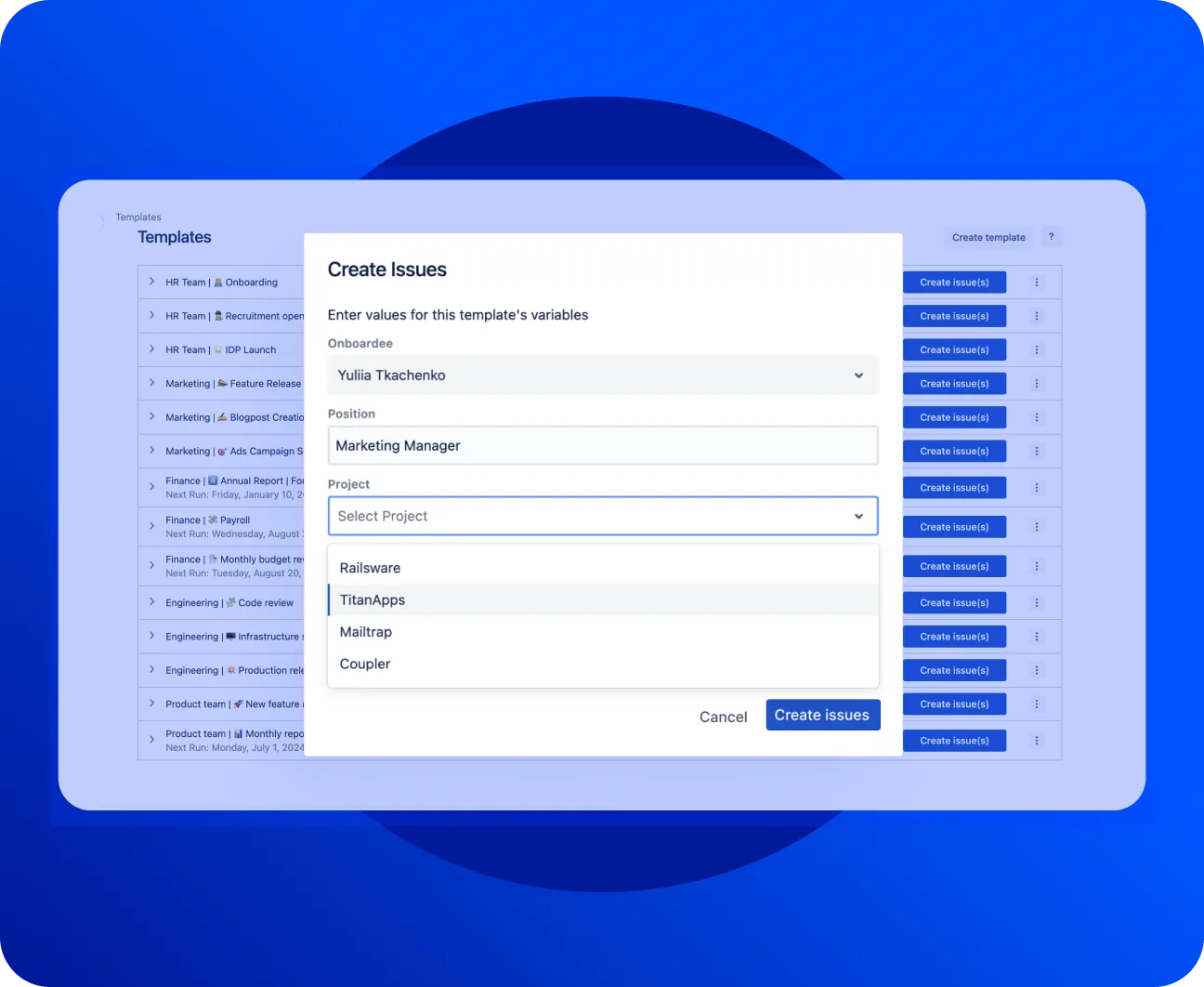
Use dynamic values in your HR workflow with variables
- Add variables to make one issue template fit the whole process.
- Calculate the due date dynamically with Smart Variables, so deadlines shift with each start date.
- Automatically mention and assign responsible team members in your issue templates.
Every ticket in your Jira employee onboarding or offboarding template lands pre-filled and pre-assigned.
Visit Marketplace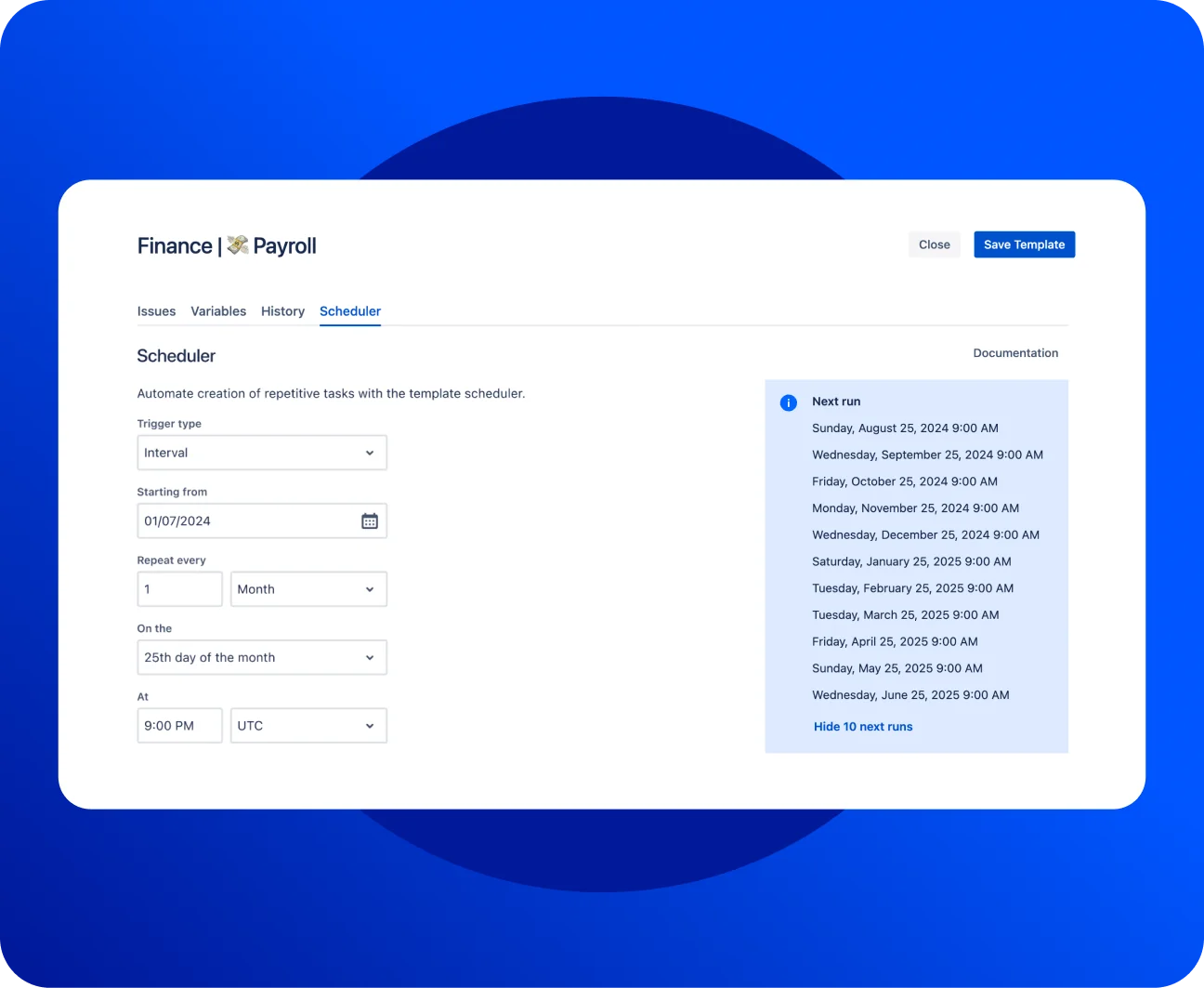
Automate recurring HR work with the built-in Scheduler
Annual reviews, quarterly check-ins, monthly payroll. Someone always has to remember to kick these HRSM tasks off. The built-in Scheduler removes that friction:
- Build recurring issue templates for Jira once, then set the cadence.
- Every ticket creates itself: pre-filled, pre-assigned, right on time.
- Get workflow automation without a single automation rule to maintain.
Real HR automation best practices, run on the project management tool your teams already use in their workday.
Visit MarketplaceWorks with the Jira
you already run
Smart Templates installs from the Atlassian Marketplace in a couple of clicks and runs inside your existing project management setup.
Pair it with Jira Service Management when HR runs a service desk on JSM. New hires submit onboarding tasks through employee self-service in the self-service portal, and the right template fires automatically.
Link a Confluence knowledge base for HR policies, so your knowledge base stays the single source and every ticket points to the latest Confluence document.
Your HR stack finally shares one source of truth. It plugs into the automated workflows you already have. You can easily trigger an issue template from a Jira automation rule, a webhook, or a status change.
Ready to optimize your HR workflow?
Frequently Asked Questions 🤔
Haven't found an answer? Try our blog or contact support
An HR workflow is a repeatable people process run as Jira issues: employee onboarding, offboarding, performance reviews, or leave requests. Each step becomes a task with an owner and a due date. Smart Templates turns that workflow into a reusable issue template.
Map the steps, decide which teams own each one, then build a single issue template covering all of them. Apply it or trigger it by webhook. Smart Variables fill in the employee's details, so every HR workflow starts complete.
No. Smart Templates runs on standard Jira, so you can build HR workflows in any project. If you already use Jira Service Management for an HR service desk or self-service portal, templates work there too. Requests come in, the matching template fires, and onboarding tasks route to the right team.
Build one employee onboarding template with the full cross-team issue tree, then apply it or trigger it by webhook when an offer is accepted. Smart Variables fill in the details, so every onboarding starts complete. That is automation without manual setup each time.
Yes. The built-in Scheduler recreates any HR process on a set cadence using CRON or interval scheduling. Set annual reviews or quarterly check-ins once, and the tickets appear on the right date on their own.
Yes. An offboarding template closes accounts, recovers equipment, and confirms final pay across IT, Finance, and Security. Required steps stay open until each team confirms, so nothing gets missed after someone leaves.
An HRIS stores employee records. Smart Templates runs the HR processes around them: onboarding, exits, and performance reviews as structured Jira work. Many teams keep their HRIS and use Jira for the workflows a records system doesn't handle.
Jira's built-in templates create a single flat task list. Smart Templates builds a full hierarchy of issues and subtasks across teams, pre-fills fields, adapts values with Smart Variables, and automates creation. It's the gap between a to-do list and a real, enforceable HR process.
Yes. Leave requests and time off requests can run through a Jira project or a Jira Service Management portal. A template handles the approval chain, so managers and People Ops both see the request in one place.
Yes. Smart Templates runs on Forge, so your data stays inside Atlassian infrastructure and meets data residency requirements. That matters when HR processes touch personal employee data.
Both apps live on the Atlassian Marketplace. Checklist apps add a list to one issue. Smart Templates creates the whole multi-team issue structure, then pairs with Smart Checklist to enforce completion inside each ticket. You get the template and the enforcement together.