


 Tools for Jira
 Tools for monday.com









Checklist for Jira alternative: features & pricing comparison
Smart Checklist vs Checklist for Jira by HeroCoders
Compare and choose the best checklist plugin for Jira
| Feature | Smart ChecklistTry for Free | Checklist for Jira (Enterprise)by HeroCoders | Checklist for Jira (Pro)by HeroCoders |
|---|---|---|---|
Pricing (Cloud, 100 users, monthly) | $90 | $100 | $82 |
| Trust signals | |||
| Runs on Atlassian | Yes | No | No |
| Data residency | Yes | Yes | No |
| SOC 2 Type II | Yes | Yes | Yes |
| Trust Center | Yes | Yes | Yes |
| Working with Checklist | |||
| Work with multiple checklists: see progress, set status in bulk, switch between tab and list view | Yes | Yes | Yes |
| Checklist assignee | Yes | No | No |
| Checklist priority | Yes | No | No |
| Checklist due date | Yes | No | No |
| User and date mentions | Yes | Yes | Yes |
| Custom statuses and formatting | Yes | Yes | Yes |
| Item details | Yes | Yes | Yes |
| Mandatory checklist items | Yes | Yes | Yes |
| Convert checklist item to Jira issues (work item) | Yes | Yes | Yes |
| Convert checklist item to Jira subtask | Yes | No | No |
| History of checklist activity | Yes | Yes | Yes |
| Work with checklist on Create/Transition screens | Yes | No | No |
| Notifications | Yes | Yes | Yes |
| Clone checklists by cloning a Jira issue (work item) | Yes | Yes | Yes |
| Checklist Templates | |||
| Create, edit, rename, and delete checklist templates | Yes | Yes | Yes |
| Set a template as default per issue type | Yes | Yes | Yes |
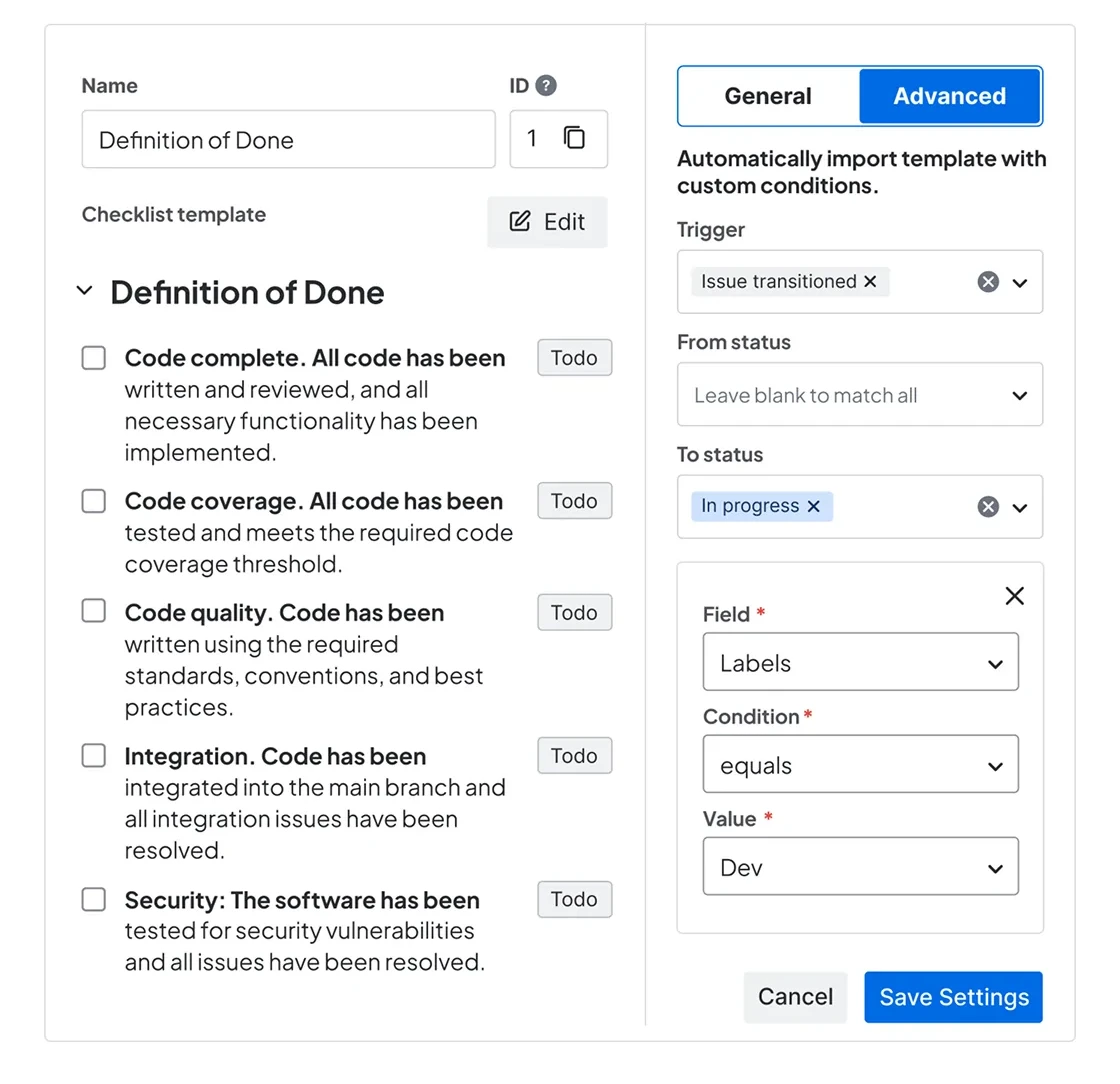
| Set template as default with advanced conditions (field value, workflow transition, issue update) | Yes | No | No |
| Change the order of imported checklist templates on the issue | Yes | No | No |
| Project-specific templates | Yes | No | No |
| Global templates: share checklist templates across all projects | Yes | Yes | Yes |
| Dynamically update checklists across all issues with linked templates | Yes | Yes | No |
| Template categories | Yes | No | No |
| Automation & Workflow | |||
| Built-in automation | Yes | Limited | Limited |
| Auto-add checklist by issue type | Yes | Yes | Yes |
| Auto-add checklist by field value | Yes | No | No |
| Auto-add checklist by issue transition | Yes | No | No |
| Integration with Automation for Jira (Automation actions) | Yes | Limited | Limited |
| Automation action: “Import checklist template” | Yes | Yes | Yes |
| Automation action: “Add checklist items” | Yes | No | No |
| Automation action: “Set checklist item status” | Yes | No | No |
| Add a checklist to a JSM issue (work item) based on the request type | Yes | Yes | Yes |
| Integration with Jira Workflows | Yes | Limited | Limited |
| Validate the whole checklist or mandatory items before issue transition | Yes | Yes | Yes |
| Validate completion of specific checklist tab or header | Yes | Limited: Validation of global checklists only | No |
| Dashboards & Reporting & Search | |||
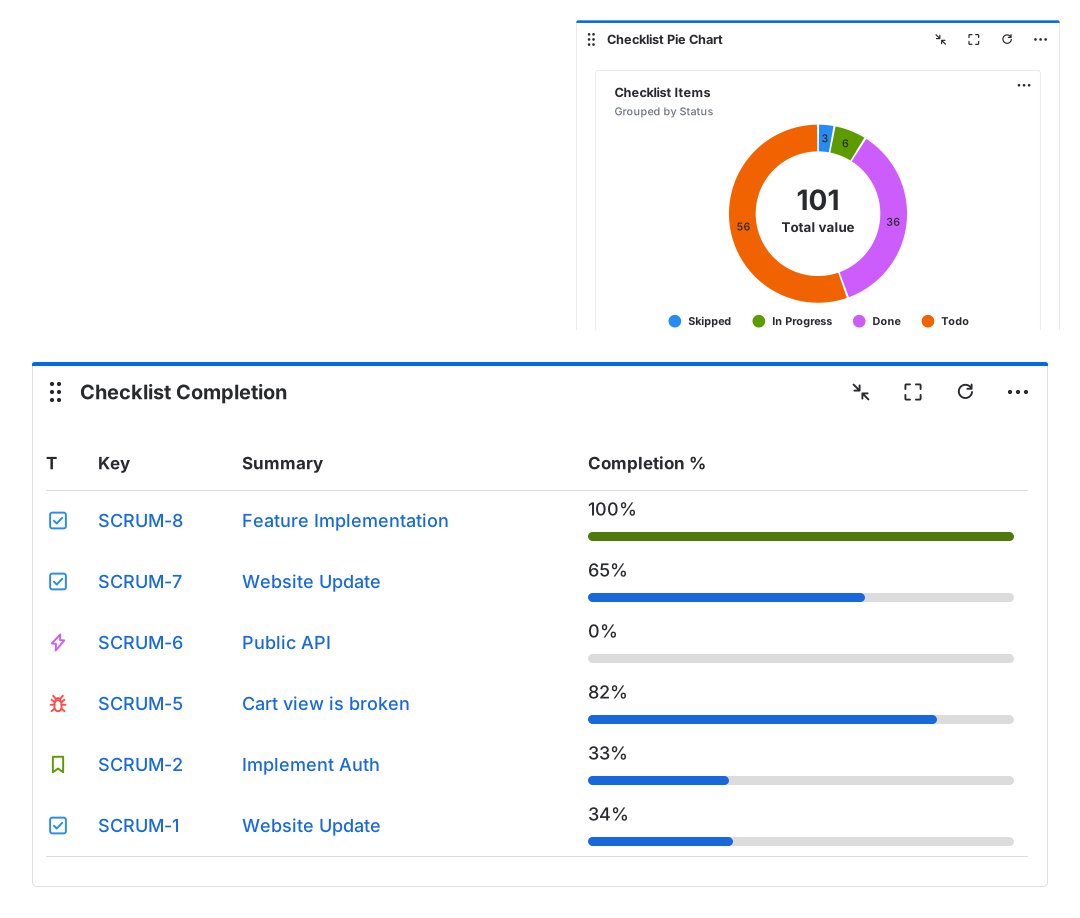
| Checklist completion and pie chart dashboard gadget | Yes | No | No |
| Assigned checklist items page and dashboard gadget | Yes | Yes | Yes |
| Search checklist values with JQL | Yes | Yes | Yes |
| Checklist history | Yes | Yes | Yes |
| Rovo & AI | |||
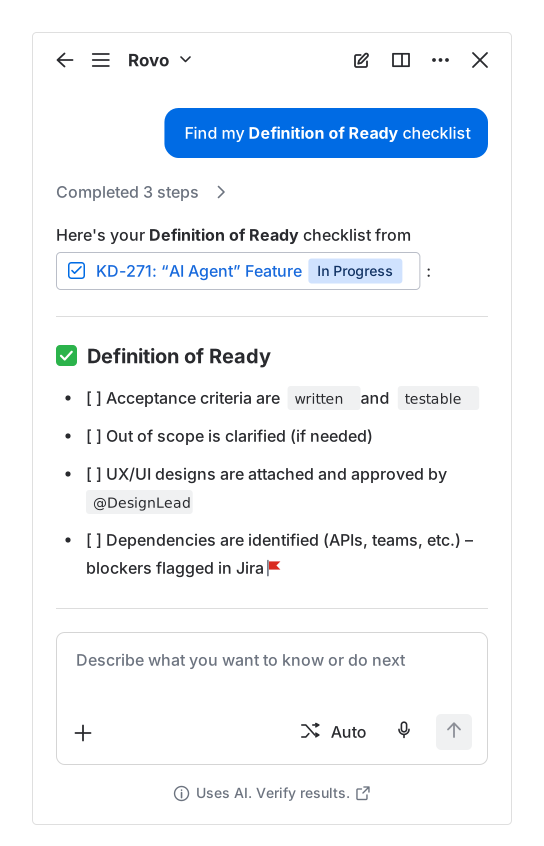
| Rovo Agent integration: search, calculate progress, and generate checklist templates with AI | Yes | No | No |
| Configuration options | |||
| Custom statuses | Yes | Yes | Yes |
| Rename default checklist statuses | Yes | No | No |
| Custom checklist statuses by project | Yes | No | No |
| Set up custom permissions | Yes | Yes | Yes |
| Display checklist on JSM (Jira Service Management) Customer Portal | Yes | Yes | Yes |
| Use Jira REST API to create and update checklist | Yes | Yes | Yes |
| Support & Migration | |||
| Customer support | Yes | Yes | Yes |
| Import, export, and share checklists | Yes | Yes | Yes |
| Migration from Jira Data Center to Jira Cloud | Yes | Yes | No |
| Migration from Checklist for Jira to Smart Checklist | Yes | n/a | n/a |
Smart Checklist is most comparable to the Enterprise edition of Checklist for Jira by HeroCoders, at a lower price: $90 vs $100 per month for 100 users on Jira Cloud.
Last updated: September 2026
Sources: TitanApps documentation, HeroCoders documentation and Atlassian Marketplace

Smart Checklistby TitanApps

Checklist for Jiraby HeroCoders
Compare the best checklist apps for Jira on Atlassian Marketplace
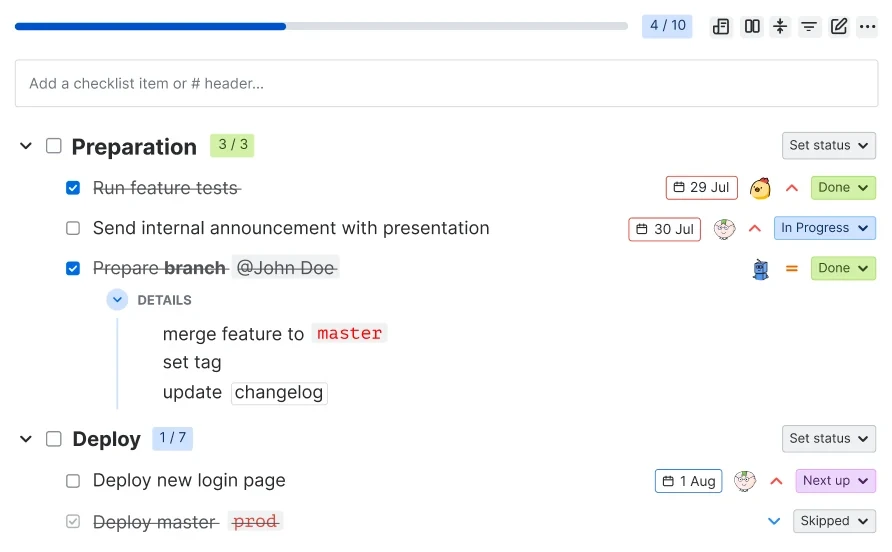
Smart Checklist and Checklist for Jira by HeroCoders (Enterprise and Pro versions) are Jira plugins that cover the core Jira to-do lists use case. Smart Checklist goes further with enterprise ready security standards, richer item management, advanced templates, simple built in automations, dashboard gadgets, project-level configuration, and Rovo integration.
Key advantages of Smart Checklist
Where Smart Checklist goes further than Checklist for Jira by HeroCoders






Community ❤️ Smart Tools


Choose the best Checklist add-on for Jira
Why choose tools by TitanApps

- Runs on Atlassian
- SOC 2, GDPR Compliant
- Lightweight user-friendly interface
- Constant Product Development
- Detail-rich Documentation
- Expert Support
- Cloud Migration Assistance
- Partner Program Benefits
- Integrates with automation for Jira, Jira workflows, REST API, and Rovo Agent
Frequently Asked Questions 🤔
Haven't found an answer? Try our blog or contact support
Smart Checklist is a Jira add-on that allows you to include to-do lists in your Jira tickets. You can also create checklist templates for recurring tasks. They will be automatically added to an issue based on your triggers and criteria.
Yes, Smart Checklist is built using Atlassian Forge, meaning that all data will be stored within Atlassian infrastructure. This is ideal for finance, healthcare, government, and businesses with strict regulations or high security standards.
Smart Checklist is used to add to-do lists to Jira issues. Some of the most common use cases would include:
- Definition of Done;
- Acceptance Criteria;
- Product Release checklist;
- App publishing;
- Code Review checklist;
- Test cases;
- Security compliance;
- Support;
- Standard questionnaire for requests;
- HR and Finance;
- People Onboarding and Offboarding;
- Budget audit;
- Tax preparation;
- Marketing;
- SEO and content creation checklists;
- Marketing campaign planning.
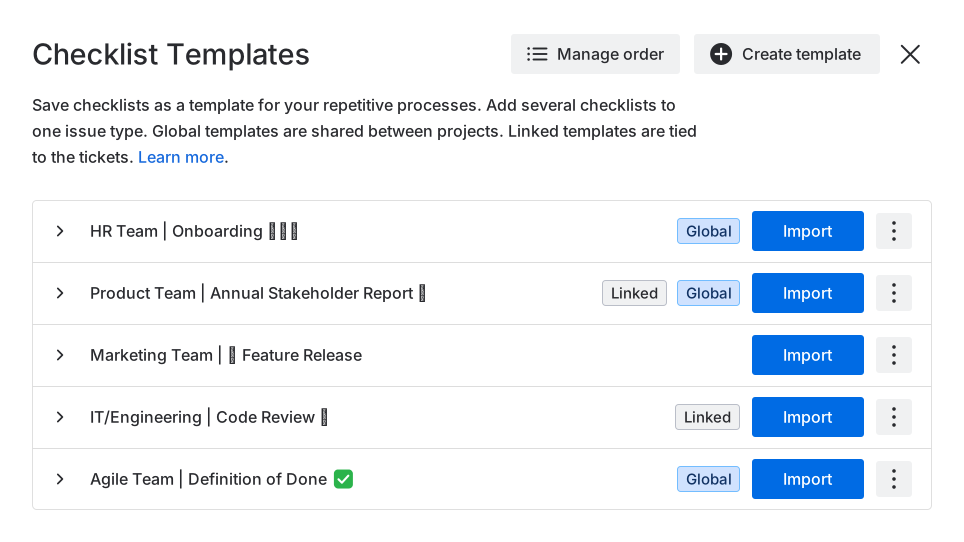
Yes, you can save your checklists and use them as templates. A Jira checklist template will be added to an issue based on your triggers and criteria. Check how this functionality works on Data Center and Cloud instances.
Custom discounts may be available on a case-by-case basis, depending on factors such as user tier, license duration, license type, and any previous licenses. To inquire about a custom discount, please reach out to our Sales team at contact@titanapps.io.
You’ll need admin or system admin permissions to install Smart Checklist. You can install it directly from the Atlassian Marketplace.
Once Smart Checklist is installed by a Jira admin, most configurations – such as adding templates, setting up automations and validators – can be handled by project admins. Jira admins can also configure custom permissions, learn more about it here.
Yes, Smart Checklist is available on both Jira Cloud and Data Center.
You can migrate checklists from Checklist for Jira, My ToDo, Elements Checklist – learn more here.
Yes, we support CSV import from other sources. You can also import checklists from Trello directly via our power-up.
Yes, Smart Checklist functionality is fully available on Next-Gen Projects.
Compared with other Jira checklist plugins, Smart Checklist is the #1 app running on Atlassian, combines a lightweight, user-friendly experience with strong Cloud migration support via JCMA, and offers advanced checklist functionality. Learn more in our comparison table.
Yes, Smart Checklist is GDPR compliant, and TitanApps is SOC 2 Type II compliant. You can read how we handle your data in our Privacy Policy, and find our security and compliance details in the TitanApps Trust Center.